
We’ve introduced new functionality that allows you to view Wealthtime platform charge information online, meaning that you no longer need to call up to get this information.
What’s changed?
Previously, you needed to call us to confirm annual charge details for a client.
Now, Wealthtime platform annual charge information is displayed directly on the platform, making it quicker and easier to access.
What information is displayed?
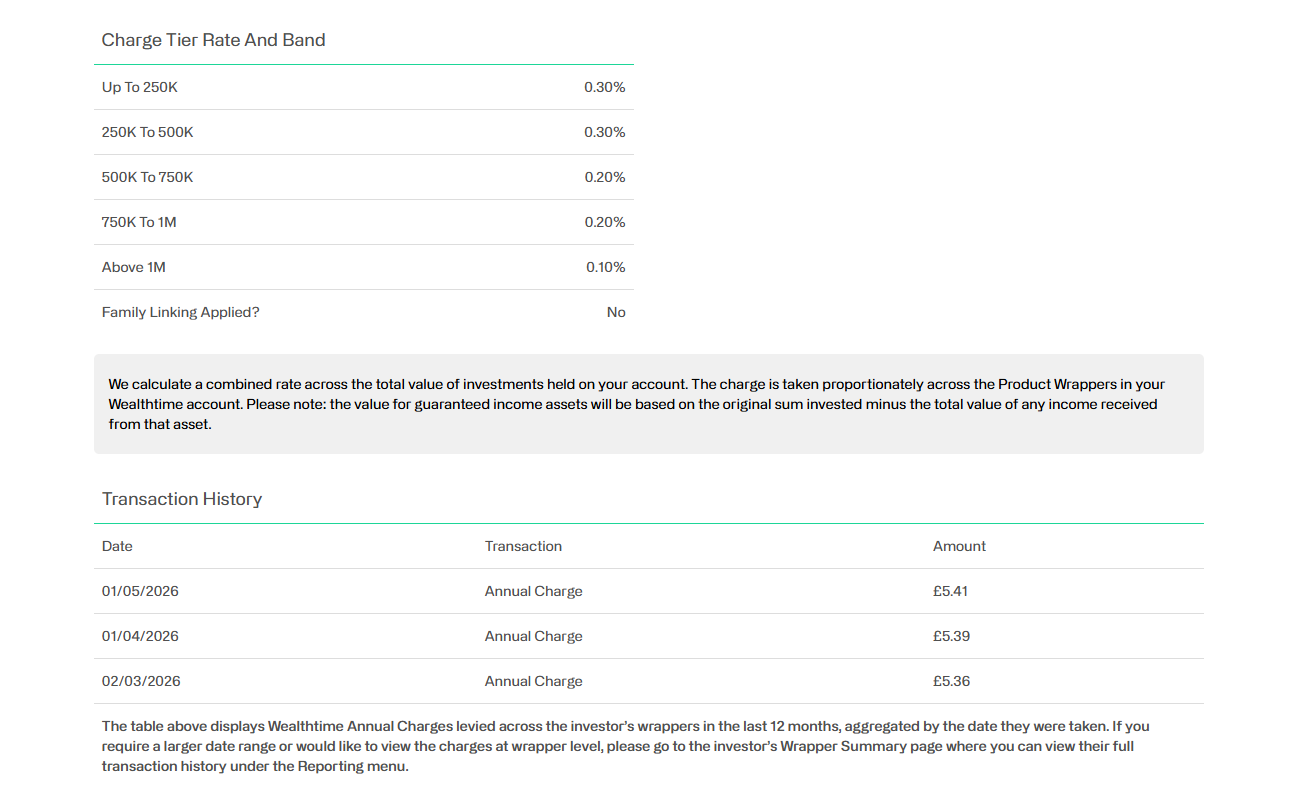
When viewing an individual client, you can now see:
- The tier rates that apply
- A clear family linking flag, where relevant
- Transaction history relating to charges taken in the last 12 months
How do you access this?
The annual platform charge information is available at an individual client level:
- In Adviser Zone, navigate to the relevant client
- Once on their investor summary page, select the ‘Maintenance’ drop down
- Choose the Wealthtime annual charge option
What does this mean for you?
This enhancement saves you time and gives you greater visibility of charging information.
- No need to call for annual charge details
- Easy to view at an individual client level
- Faster access to information when reviewing accounts or answering client queries
Any questions?
If you’d like more information or have any questions about this enhancement, please speak to our team today.
Related content
Managing regular SIPP income is now an online journey
Managing regular SIPP income is now quicker and easier – with no paper forms required.
Find out moreThis article is intended for regulated financial advisers and investment professionals only.
 linkedin
 facebook
 mail
mail